visionOS & macOS Ecosystem App

Bring Your Mac Screen into Space with

Stunning 3D Depth.

CaptureDive seamlessly transforms your Mac's screen, specific app windows, or HDMI capture inputs into real-time 3D using on-device AI—projecting a massive, immersive display directly into your Apple Vision Pro space.
Download from App Store
CaptureDive App Preview

Key Features

🧠

Real-Time AI 3D Conversion

Experience unprecedented depth. By running a highly optimized, lightweight version of DepthAnythingV2 across the GPU and Neural Engine in parallel, the app instantly converts standard 2D video into high-fidelity 3D with zero perceptible lag.

🖥️

Flexible Capture Sources

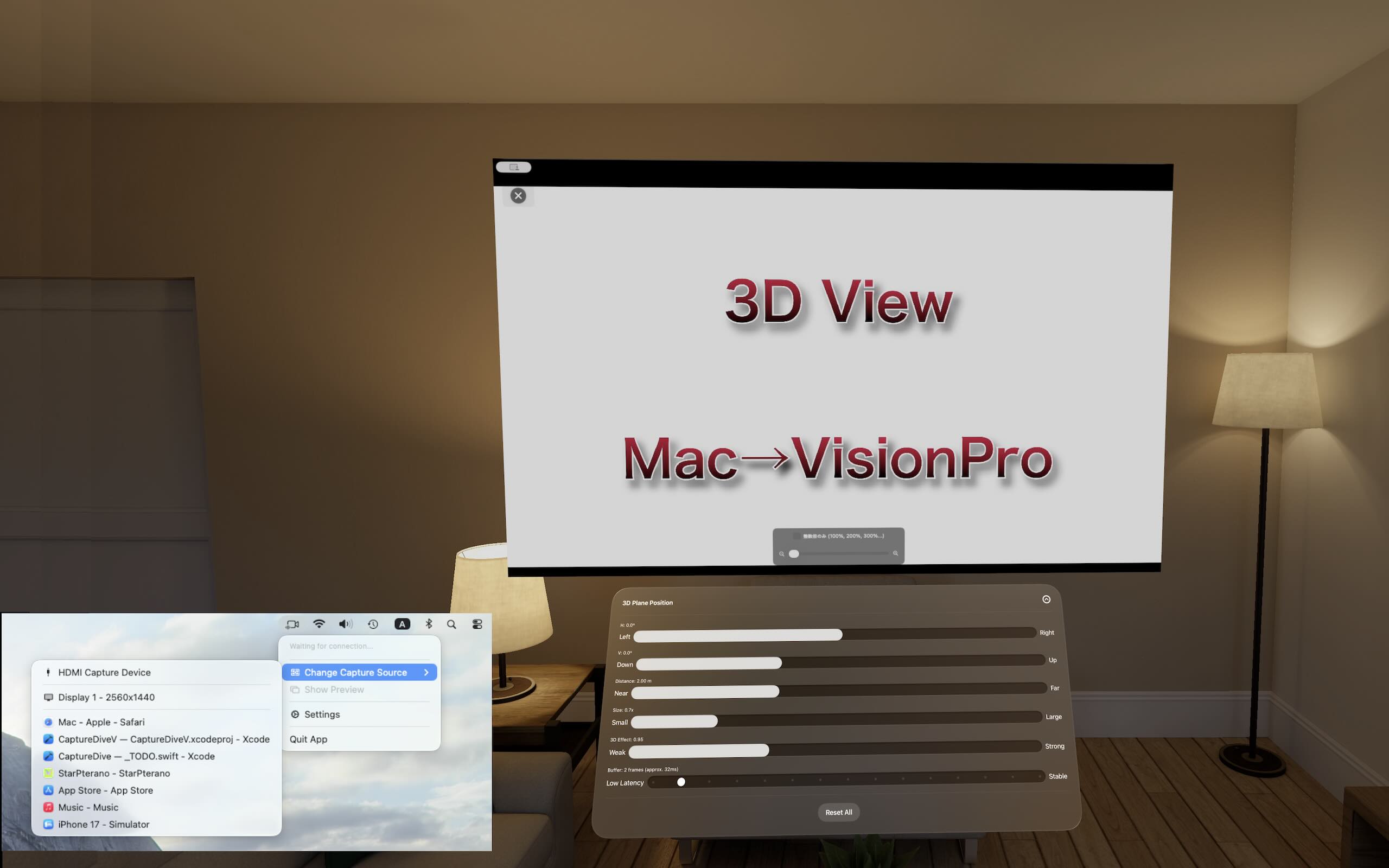
Stream your entire Mac desktop, isolate a single application window, or even capture external video feeds like console hardware via a connected HDMI capture card.

🔒

100% Local & Secure

Your privacy is absolute. Both the AI depth estimation and the video streaming process happen entirely within your local Wi-Fi network. No data is ever sent to external servers.

⚙️

Versatile Customization

Fine-tune your spatial setup. Easily adjust window position, scale, depth intensity, and viewing distance, alongside buffer configurations to balance ultra-low latency and streaming stability.

Easy 3-Step Setup

1

Launch on Your Mac

Open the macOS app on a Mac connected to the same Wi-Fi network, and use the menu to select your preferred capture source (Screen, Window, or HDMI).

2

Open on Vision Pro

Launch the visionOS companion app on your Apple Vision Pro. It will automatically detect your Mac running on the local network.

3

Enjoy Spatial 3D

Simply tap to connect. A massive, breathtaking 3D display will immediately render in the space right in front of you.

Use Cases

📺 YouTube & Streaming Video
Entertainment

Turn YouTube Videos into a Personal 3D Cinema

Whether it's YouTube in your browser, anime, movies, or music videos, our local AI generates stereoscopic depth on the fly. Watch your favorite 2D content transformed into an expansive 3D theater experience with incredible immersion.

🎮 HDMI & Gaming Consoles
Gaming

Play Classic Games on a Floating 3D Screen

Route your Nintendo Switch, PS5, or other console through an HDMI capture card connected to your Mac to convert gameplay into 3D in real time. It brings magnificent scale and depth to RPGs and atmospheric 3D titles. Please note that due to inherent streaming latency, it is not recommended for competitive or fast-paced action games.